Server Programming I
Info 253: Web Architecture
Kay Ashaolu
What is a server?
- A computer program or a device that provides functionality for other programs or devices, called "clients"
- Servers can provide various functionalities, often called "services", such as sharing data or resources among multiple clients, or performing computation for a client
- A single server can serve multiple clients, and a single client can use multiple servers
Server = "computer program"
- A server is technically not the computer that runs this computer program.
- A server is a program that is hosted by a computer (called a host)
- We will learn how to write and run these programs to service "clients"
- Example of clients include desktop browsers, mobile browsers, curl (via the terminal)
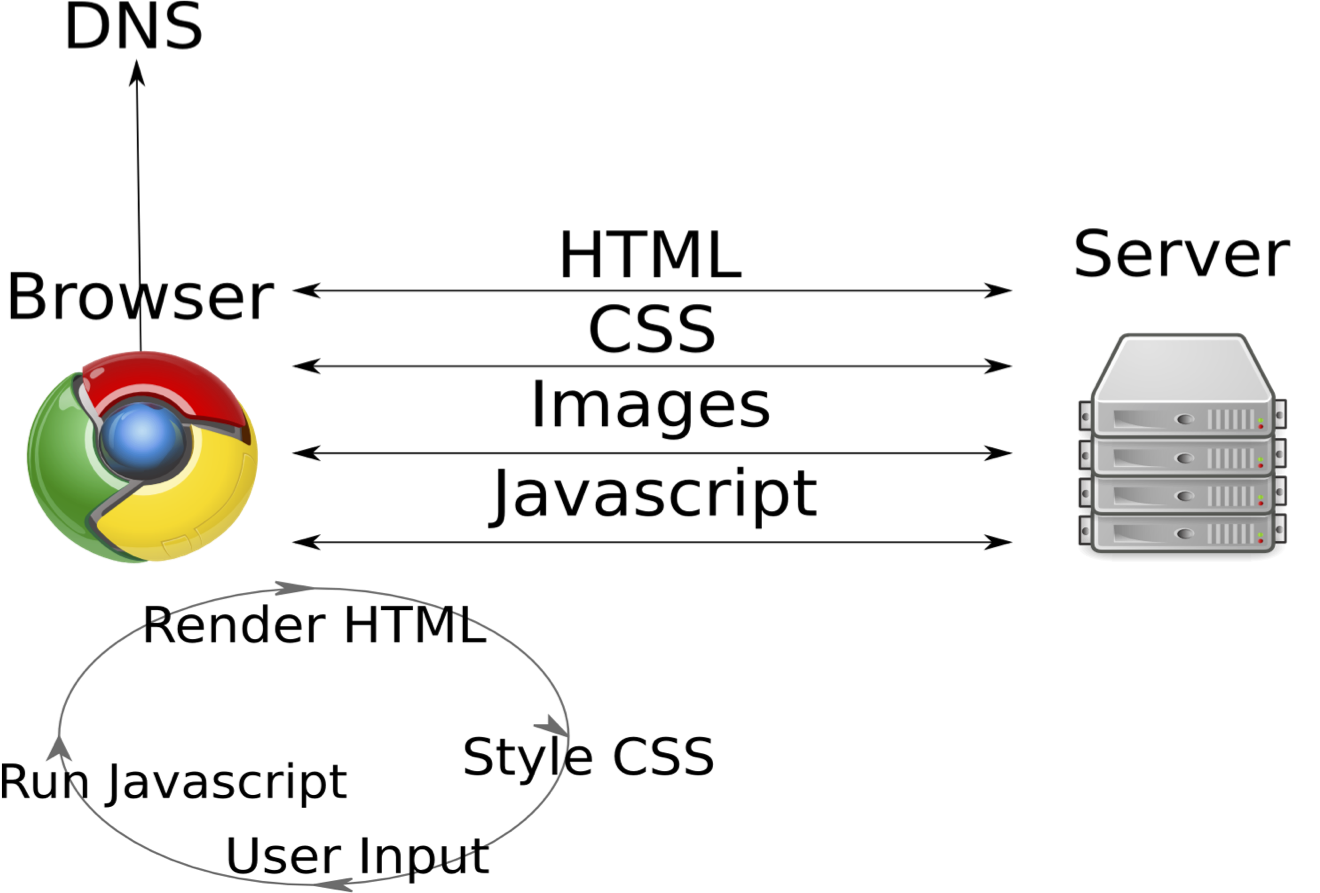
The Request-Response model
- Client sends a request to the Server, Server responds back with data and typically an acknowledgement of receipt
- The Server has declared specific paths (called routes) that when accessed would execute specific functions
- Functions would return a response, which is sent to the Client
Review
Let's build our own server
- We will be using Flask, a Python microframework that makes buliding web servers and API's easier
- This will mean that you may have to learn yet another programming language
One step back: What's Python?
- Python is a high-level programming language that focuses on readability
- Python syntax is easier to understand (than even JavaScript)
- Python is a general programming language that can be used for a host of applications from webservers to back end applications
Learn Python through JavaScript
function helloWorld(first_name, last_name) {
  var message = "Hello World " + first_name + " " + last_name;
  return message;
}
def hello_world(first_name, last_name):
  message = "Hello World " + first_name + " " + last_name
  return message
Learn Python through JavaScript
function countToX(x) {
  var message = "";
  for(var i = 0; i <= x; i = i+1) {
    message = message + i + " ";
  }
  return message;
}
def count_to_x(x):
  message = ""
  for i in range(x):
    message = message + str(i) + " "
  return message
Learn Python through JavaScript
JavaScript
var student = {};
student.name = prompt("Enter your name");
student.attempts = [];

answer = false
while(answer != true) {
	value = prompt("What is 8+8?");
	student.attempts.push(value);

	if(value == "16") {
		answer = true;
	}
	else {
		answer = false;
	}
}

alert(student.name + " answers: " + student.attempts);
Learn Python through JavaScript
Python
student = {}

student["name"] = input("Enter your name ")
student["attempts"] = []

answer = False
while answer != True:
  value = input("What is 8+8? ")
  student["attempts"].append(value)

  if value == "16":
    answer = True
  else:
    answer = False

print(student["name"] + " answers: " + str(student["attempts"]))
Back to Flask: an application like everything else
- Need to install it as a module of your Python installation
- Once installed, you can use it in your Python program
Let's get started
Assignment 2 instructions: install Python 3 and forward ports from your vagrant boxQuick note on pip
- Pip is a Python package manager manager that makes it easy to install new python modules
- There is a list of packages to install in the requirements.txt file of the assignment 2 repo
- We use pip to install Flask and Requests
Let's install the Python packages we need
pip install flask
pip install requests
Let's write our Python webserver application
webserver.py
from flask import Flask
app = Flask(__name__)

@app.route('/')
def hello_world():
  return "<h1>Hello World!</h1>"
Let's create our first server
- Open a terminal and navigate to a blank folder
export FLASK_APP=webserver.py
flask run --host=0.0.0.0
What did that do?
- You just created your own web server!
- Go to localhost:5000 on your browser to see it work
What's going on?
- We first imported the Flask class from the flask module that we just installed
- Next we created a variable that points to a new flask application
- We then set up a route (the root "/" route)
- We defined a function that if someone goes to the root of our webserver, then the server should send the string "Hello World"
Note about routes
@app.route('/')
def hello_world():
  return "<h1>Hello World!</h1>"
- Routes associate a path to a function that sends a response back to the client
- So if a client asks for the root path: http://localhost:5000/, it will run the above function
- The response body will be "<h1>Hello World</h1>"