Introduction
Info 253: Web Architecture
Kay Ashaolu
Before we start
- Please start downloading VirtualBox and Vagrant
- Vagrant: https://www.vagrantup.com/downloads.html
- VirtualBox: https://www.virtualbox.org/
- Vagrant sets up a Virtual Machine within your machine
- You are running an operation system within an operating system
- This ensures that everyone is under the same environment and has access to the same tools
Hi my name is Kay
- Princeton EE
- Credit Suisse, Morgan Stanley
- Independent web dev consulting
- MIMS ‘13
- Ancestry.com
- Nuna Health
- Lecturer
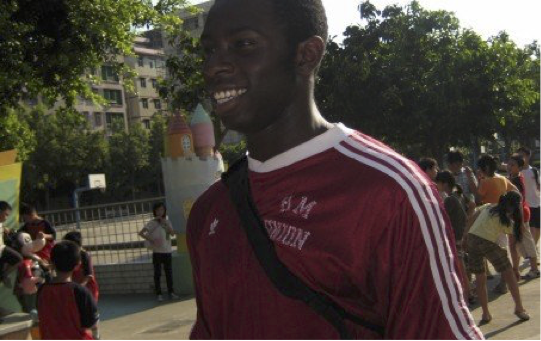
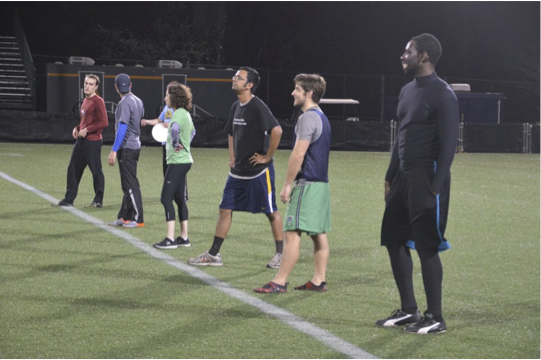
Hi my name is Monik
- Mumbai University CS
- 3 startups as Software Engineer
- Machine Learning Engineer
- Algorithms, Machine Learning, NLP
- Active competitive programme NLP Researcher
- Experience with MVC frameworks and DevOps

Course Goals
- Facebook.com -> "magic" -> web page
- Demystify "magic"
- Learn how to build "magic" with existing tools
- Know the challenges of building "magic"
- Understand the trade-offs made when building "magic"
Course Layout
- Friday's 2 pm - 5 pm
- Two 50 minute lecture and a 50 minute lab
- 10 minute break after every section
- All lectures, assignments, readings, and labs will be posted on our course GitHub repository
- Labs, assignments, and projects are completed in your GitHub repository and submitted via our bCourses website.
Course Work
- 4 individual homework assignments building an web application
- 1 group project building an web application
- 11 in class short labs to go over aspects of building a web application
More on labs
- There will be a short assignment for the last 50 minute section of most classes
- It’s designed to be completed within the 50 minutes
- Labs are due at 11:59 pm the day of lecture
- You can leave class early and do the lab on your own, but you must submit it before midnight
More on assignments
- Assignments must be done individually, but you can ask others for help
- Assignments are due at 11:59 pm on the day they are assigned to be due
- Every day it is late after that we will deduct 5 points from the final score
More on the project
- The group project is an opportunity to build something cool with other students
- Must be in groups of 3-5. There are no exceptions to this rule
- You will first form teams and draft up a proposal of what you would like to build, and we will give you feedback
- There will be presentations at the end of the class, and a report
- All of this is due at 11:59 pm on the due date assigned
Technologies you will use
- Languages
- HTML
- CSS
- JavaScript
- Python/Flask
- SQL/Active Record
- Tools
- Git
- Unix / Terminal
- Vagrant
- Heroku
- Amazon AWS
But don't worry
- This is not primarily a programming class
- Grades are based on the demonstration of understanding the base concepts
- Grades are not based on extra bells and whistles, but are reserved for extra credit
- Monik and I are here to help
This is a Graduate class
- Perform well without supervision
- Understand readings from a variety of different areas on the web
- Ask for help proactively
- Get frameworks working on your vagrant box
Responsibilities
- Me
- Explain core concepts
- Understand design trade-offs
- Introduce new technologies
- Tie everything together
- You
- Understand lectures and do class prep
- Explore new technologies
- Work independently and in groups
Office hours and wait list
- Kay’s office hours are by request via Google hangout
- Monik's office hours: Fridays 5 pm - 6 pm (after class)
- We have a Piazza website for this class: https://piazza.com/class/j6rtzu85yai59k
- Because of the new Cal Central system, I'll be processing the wait list by September 8th
- Typically I can enroll everyone that wants to stay in the class.
Grades
-
Labs: 15%
- Graded on a complete/incomplete basis
-
Assignments: 45%
- Graded on a numeric basis
-
Project: 40%
- Graded on a numeric basis
- There is no midterm nor final
Questions?
Why are you in this class?
The Web is important
- Democratizes information
- Decentralized
- Low barrier of entry
The Web is built on composable parts
-
Internet
- How data gets from one network to another
-
Network Stack
- How data gets from one computer to another
-
Browsers
- One (of many) destinations data goes to
-
HTML/CSS/JavaScript/Images
- One (of many) representations of data transmitted over the web
Highway vs Railway

Highway: Simple and Composable
- Any machine with wheels can use it
- Cars can drive on any highway, but also off-road
- Motorcycles and trucks can use roads as well as highways
- Uncoordinated
Railway: Complicated but Efficient
- Must have the right track gauge
- Must coordinate with other traffic
- If you upgrade one part of the system, everything else must be upgraded
- Need specially made vehicles for railway
The Internet is like a highway
- More like an interconnected large set of highways
- It’s the longest running computer system in the world
- Protocols (UPS) are agnostic of their content (packages)
- Pieces can be upgraded incrementally
Protocols
-
A protocol is a system of rules of transmitting data
- UPS has a system of trucks and vans that get packages from one place to another
-
Data is delivered to a destination (browsers)
- Just like packages deliver to a destination (address)
-
Data can be interpreted, and used as information
- Like packages can be appreciated in a number of different ways
Browsers interpret data into information
Browsers interpret data as text
- HTML
- CSS
- JavaScript
Browsers interpret data as other media
- Images
- Music
- Video